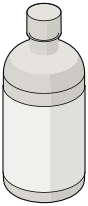
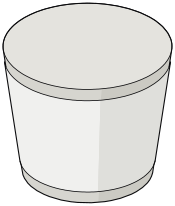
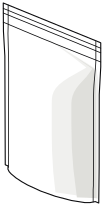
Front, back & cap labels
Flat self-adhesive labels for the front or back of a bottle or jar, or round top-cap seals — in standard geometric shapes or your own die-cut outline.
Front, back and cap labels are the everyday choice for glass dropper bottles, skincare jars, honey and jam jars, olive oil, sauces and craft beverages. Rather than wrapping all the way round, a panel label covers one face cleanly while showing off the bottle silhouette or liquid inside.
In pacxio, shape is a parameter on one parametric style: switch between sharp rectangle, rounded rectangle (default 3 mm corner radius), exact circle for jar lids, ellipse, or a custom SVG outline converted to lossless lines and arcs for rotary or digital die-cutting.
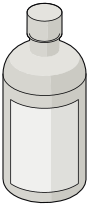
Parametric template. Drawn by the engine at your size. Seal widths, overlaps and clearances are initial values — confirm with your converter and order a proof before the first production run.
How it fits
- Application: pressure-sensitive self-adhesive stock applied flat to a straight cylinder or flat jar face.
- Die-cut edge: single closed cut line in lines and arcs only, ready for rotary dies or digital laser/blade cutters.
- 3D container check: mapped onto a matching cylindrical bottle or jar in 3D so you can judge proportion before printing.
Good for
- Dropper bottles, cosmetic jars, candle vessels, sauces and spirits.
- Round lid / cap seals (set shape=circle with L = W = diameter).
- Custom arch, crest or botanical die-cut silhouettes from an SVG path.
Watch for
- Leave rounded corners (2–3 mm) on high-speed roll applicators so corners do not lift or catch.
- Keep label height safely inside the straight wall between the bottle heel and shoulder curve.
- Label size, bleed and roll-unwind orientation are initial values — confirm unwind direction with your label printer.
What you can change
Parametric dieline built by the open-source engine at any size. Configure options with your agent or the pacxio CLI.
Dielines (DXF, CF2, PDF, SVG) and 3D previews are open source and run locally. Artwork layout, vector restoration, finish plates and factory packs run in the cloud — free during early access.
Choose rect, round_rect (default), circle, ellipse or custom SVG outline.
Any width and height in millimetres (set L = W for circular cap labels).
Default 3 mm for rounded rectangles; adjust from 0 mm up to half the shorter side.
Pass a single closed SVG outline; Bézier curves are arc-fitted within tolerance.
Coated paper, white BOPP/PP film or clear BOPP film for no-label-look bottles.
Add named spot-colour finish plates and white underprint plates through your agent.
Ask your agent
Paste this into Claude Code, Codex, Antigravity or WorkBuddy with pacxio installed.
Make a front bottle label 80 × 100 mm, rounded cornersQuestions
How do I make a round cap or lid label?
Pick label_panel, set shape=circle, and enter the diameter as both L and W (for example L=50, W=50 mm). pacxio exports a true arc-based circle dieline with bleed and safe zone.
Should I use a panel label or a wrap-around label?
Use panel labels (front, or separate front + back) when you want glass or product visible along the sides, or on square/flat-sided bottles. Use a wrap-around label when you want seamless 360° coverage around a round bottle or can.
What files are exported for a label printer?
Dieline DXF, CF2, PDF and SVG come from the open-source engine; the cloud pack adds a layered CMYK print PDF with bleed, named overprint cut line, finish/white-ink plates and a preflight report.